Mobile NaviGATION: UnhidING sport
OBJECTIVES
1. Unhide Sport from behind the ‘more’ Tab
The primary mobile navigation hides Sport and Kids under the More menu.
This reduces visibility of sport to new customers and creates friction for sports customers accessing the content they care about.
2. Uplift Navigation pattern: Scalable & Intuitive Navigation pattern That GETS USERS DEEPER and faster to playback
If we unhide sport - we need to rethink the current navigation pattern and assess the IA. What is the best navigational pattern for stan customers, on entertainment and sport.
Developed three concepts as initial options, based off previous tree sort & usability research.
First round of unmoderated usability testing invalidated ⅓ concepts, n=20. & refined winning concept.
Moderated usability testing of remaining two concepts, n=10
Concept refinement of recommended option
METHOD
Lead the UX, Research and UI End to End.
Assisted by UI Lead for Dev Handover.
MY ROLE
BACKGROUND & CURRENT STATE
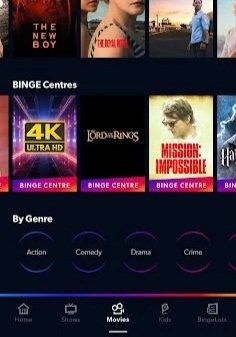
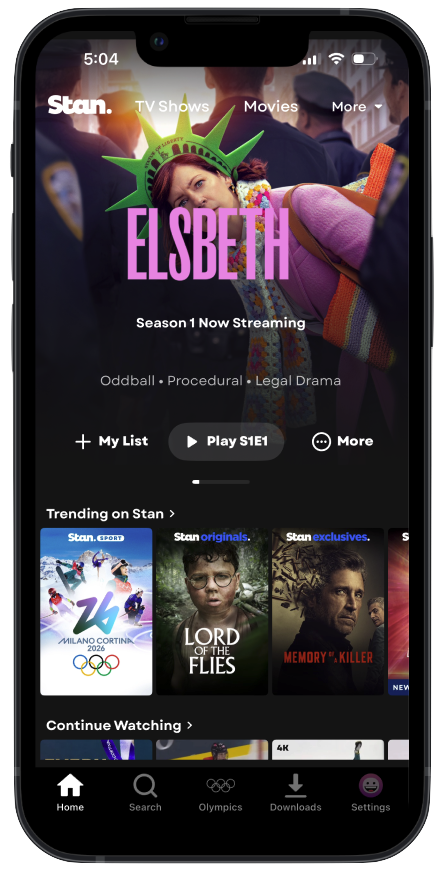
Stan currently operates on a decade-old navigation system and IA that predates its current content depth. With the 2020 launch of Stan Sport - the legacy Information Architecture remains unequipped to support this expanded offering. Sport hides 1 click away under more - causing frequent negative feedback, and lower viewership on mobile.
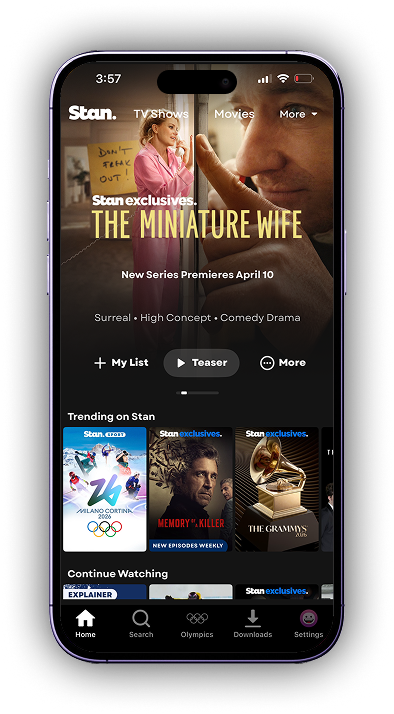
Stan Home
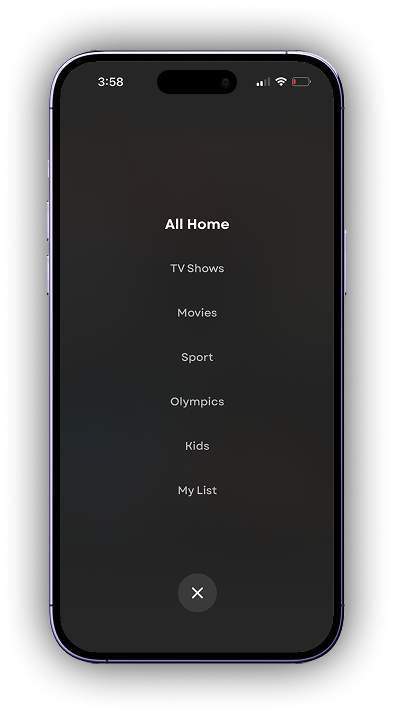
Drop Down Menu
(from More)
CURRENT METRICS
14% of minutes viewed comes from Mobile
Only 4.5% of these mobile minutes viewed are sport.
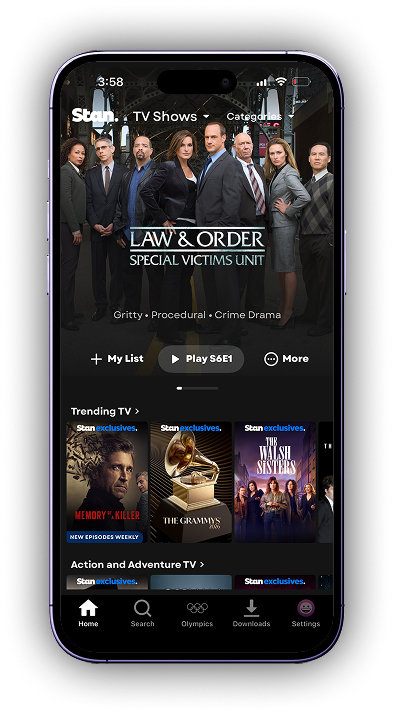
TV Shows
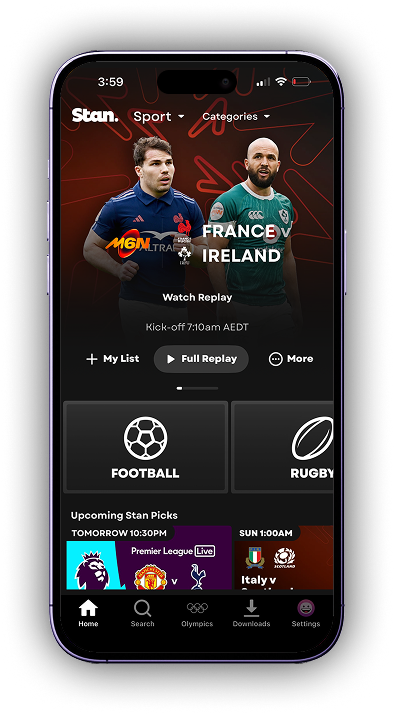
Sport
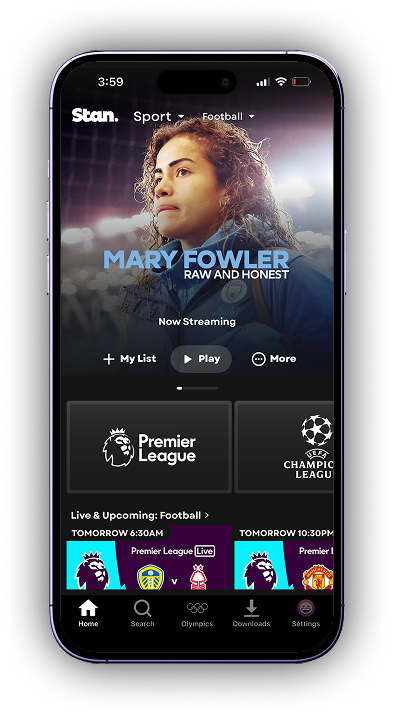
Football Page
Key Problems with Current State
Aside from sports being hidden, these additional issues were identified through both moderated and unmoderated user testing.
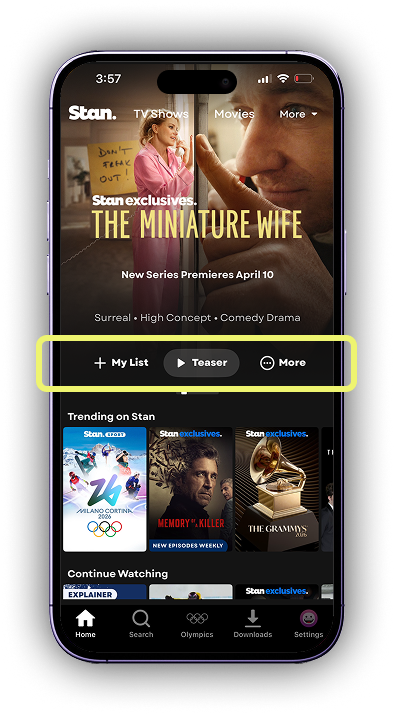
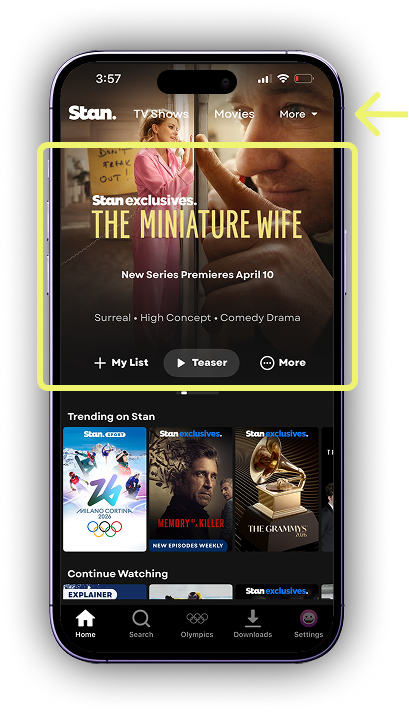
Banner blindness: The hero carousel design and position causes users to overlook primary navigation
When tasked to find my list, watch history and new additions and Olympics - on both the prototype and native app - people mistakenly used the “more” and “my list” controls within the hero carousel mistaking it as a navigation menu.
Hero controls were mistaken as navigation
When tasked to find my list, watch history and new additions and Olympics - on both the prototype and native app - people mistakenly used the “more” and “my list” controls within the hero carousel mistaking it as a navigation menu.
Key Behaviours & Unmet Needs
-
![]()
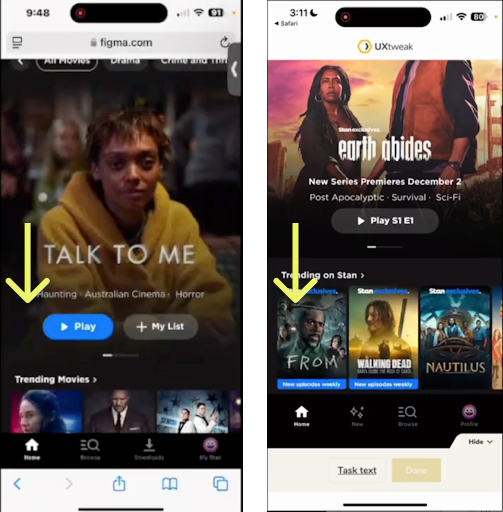
Users reflex is to scroll as soon as they open the app
When users first open the app or the prototype, they habitually scroll down, scrolling the top navigation out of view.
-
![]()
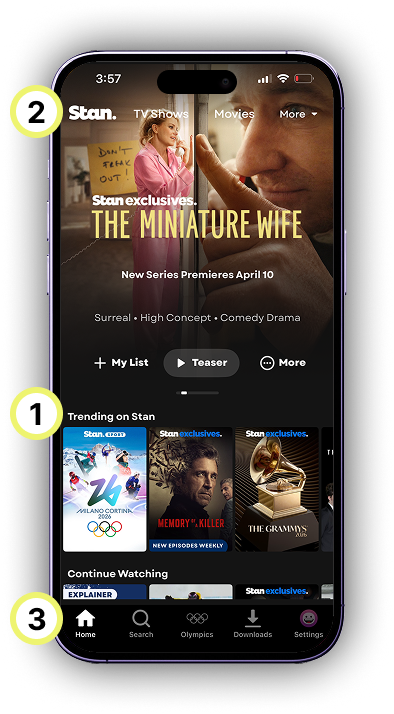
Rails are the primary way users navigate
When given pages to find, participants generally browse first via rails - followed by looking at the top menu in home, then lastly by using the bottom tray.
-
![]()
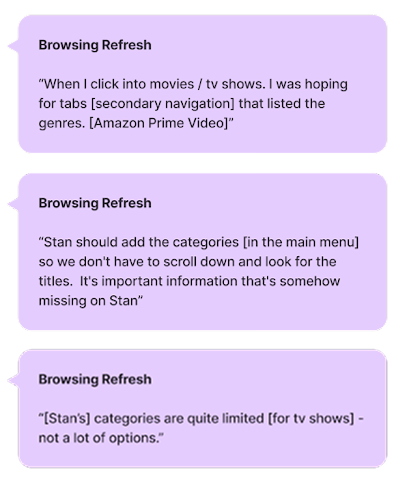
When browsing, users are scanning for genre key words
Users hesitated over unfamiliar words, unclear categorisation, and unexpected genres. The omission of a single word or the addition of an extra one can create confusion and prevent users from finding the content they’re looking for.
-
![]()
Pathways or categories revealed without an extra click are preferred
Any navigation pattern that presents the potential options so they “are all there to begin with” is preferred as it reduces effort. Users liked being able to see an overview of categories without having to tap or click anything
-
![]()
Users need to see an overview of many genres to give an impression of catalogue breadth
Repeatedly it was observed that users associate a shorter and/or hidden genre list with less content on Stan. Users need to see an overview of genres to give the impression of depth and breadth of catalogue.
-
![]()
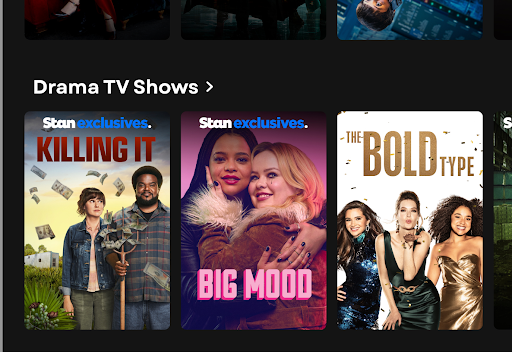
Users need category keywords in rail titles
Users desire genre titles and explicit indicators of content type within rail titles. This included genre rails, personalised categories, and being able to narrow down by categories straight from home without selecting movies or series.
Building on existing mobile research conducted prior to my arrival at Stan, I reviewed the current IA and explored five solution directions.
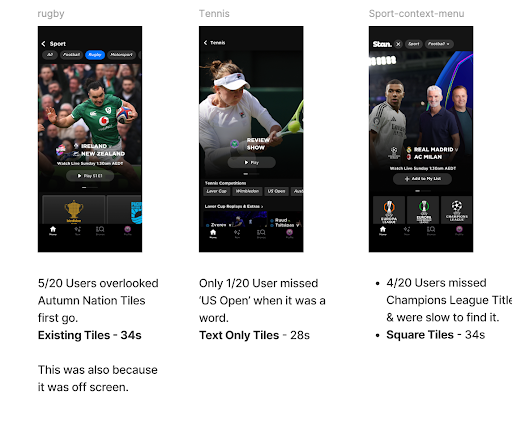
Through cross-functional critique with Design, Product, and Engineering, the three most unique concepts; coined ‘Drawer Nav’, ‘Top Nav’, and ‘Split Nav’ were taken into unmoderated user testing (n=40) on UX Tweak.
3 Prototypes in unmoderated testing with 40 participants. 1 didn’t make the cut.
❌ DISCARDED
TOP NAV
Uplift of the current navigation pattern.
This option was ruled out in first round as it was slowest, least successful and least preferred. It is also least scalable and doesn’t reveal genres on page.
This was a win, as it gave us a clear reason to refresh exisiting navigation system.
NO CLEAR WINNER: RAN ADDITIONAL MODERATED TESTING with 10 users
Both concepts showed equally high task success, speed, and preference scores. To gain deeper insight, we ran moderated testing with 10 more customers.
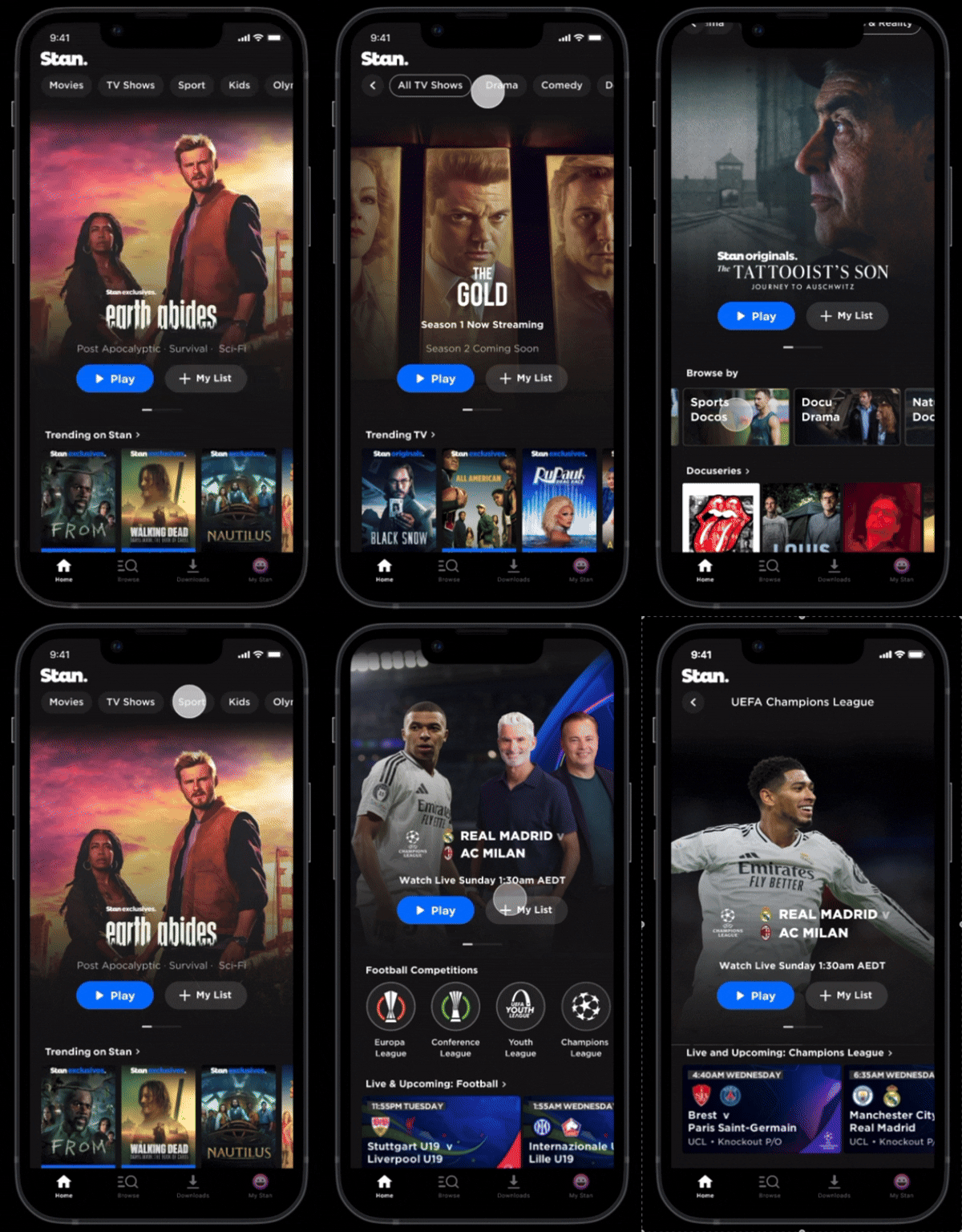
❌ CONS
Secondary menu is easily missed due to scroll and banner blindness
Limited visibility: only 2–3 categories shown on open
Filter pill titles reduce adjacent category visibility (only 1/3 visible)
Page title lacks clarity, impacting orientation
Tertiary navigation is inconsistent and performs poorly (low preference and success)
❌ CONS
Primary and secondary nav are inconsistent
More back navigation required (partly mitigated by swipe)
Drill-down structure demands careful content prioritisation
TOP NAV
The Nitty Gritty
[The losing option]
TLDR - users scrolled past top nav tiles, lost orientation without a title & less categories are visible.
✅ PROS
In-place genre switching without a page change
Persistent Stan logo
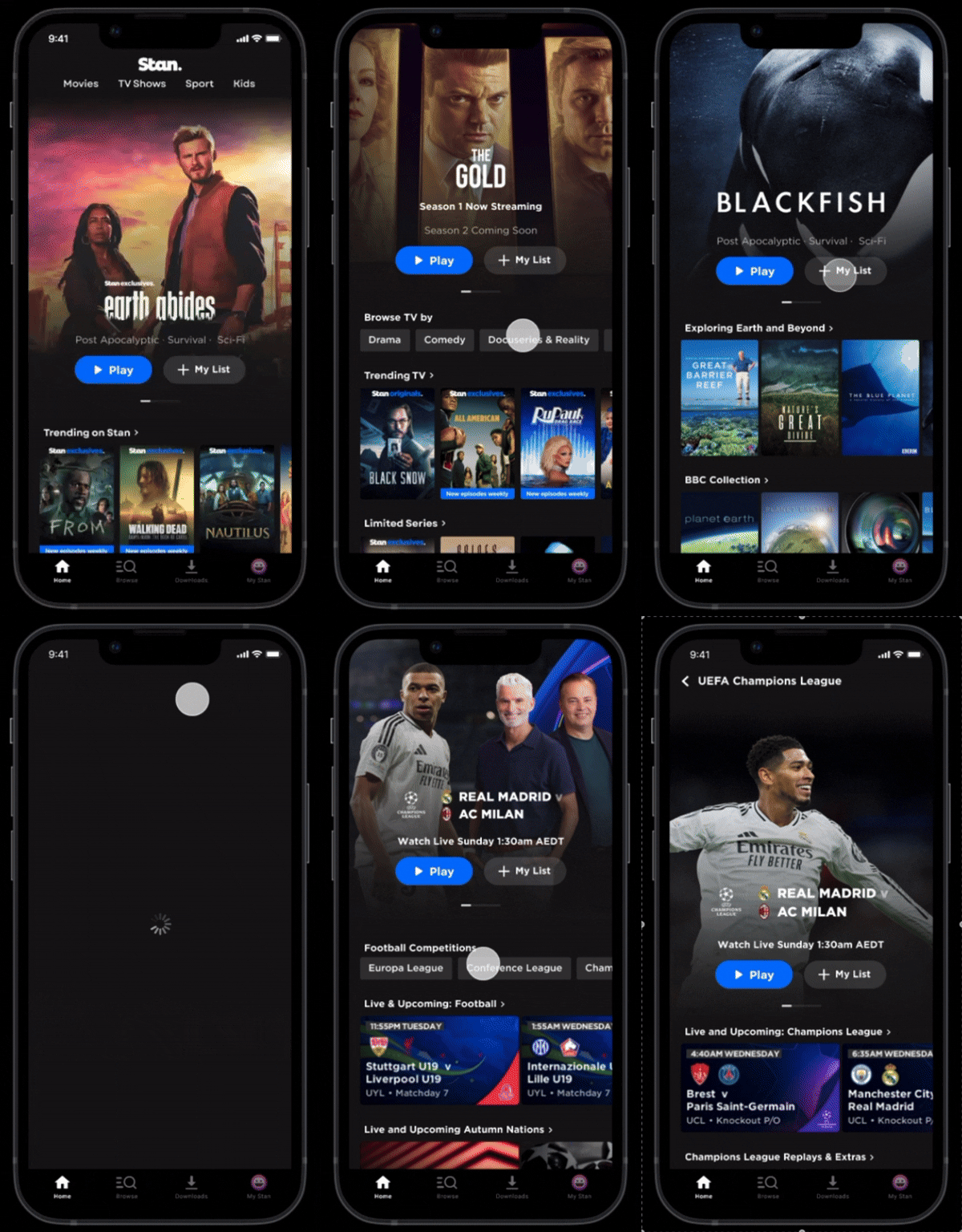
SPLIT NAV
[Recommended]
TLDR - Below hero placement was where users first looked - and title oriented users. They could get deeper in the catalogue.
More Nitty Gritty
Top aligned filter chip pattern.
✅ PROS
Rail-first placement aligns with user focus; reduces banner blindness
4–5 genres / 3–4 sports visible without scroll
Space-efficient pill nav, distinct from content is reusable.
Scalable (e.g. Teams, players, subgenres)
High task success (21/24)
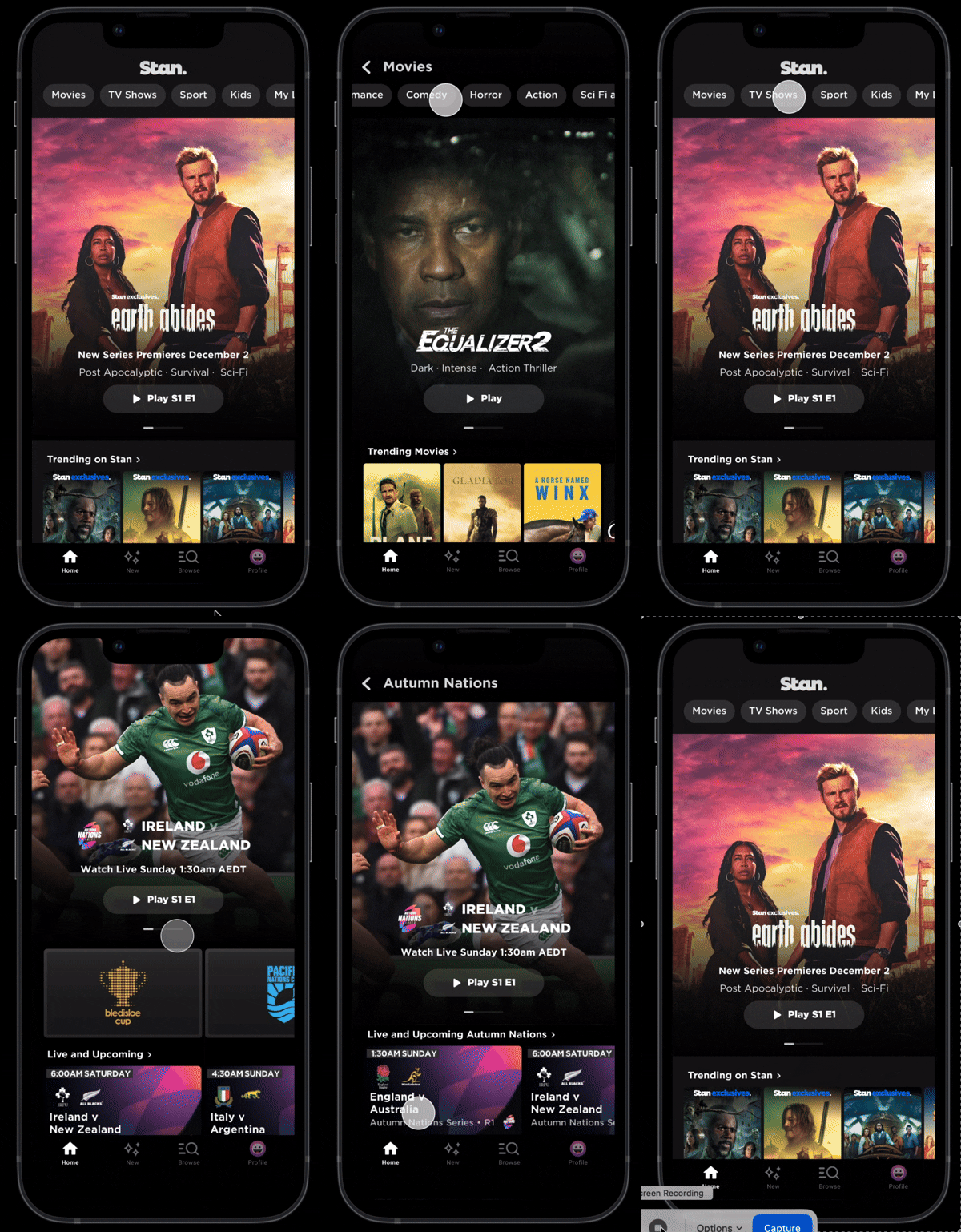
TOP NAV
✅ Proceeded to moderated testing
SPLIT NAV
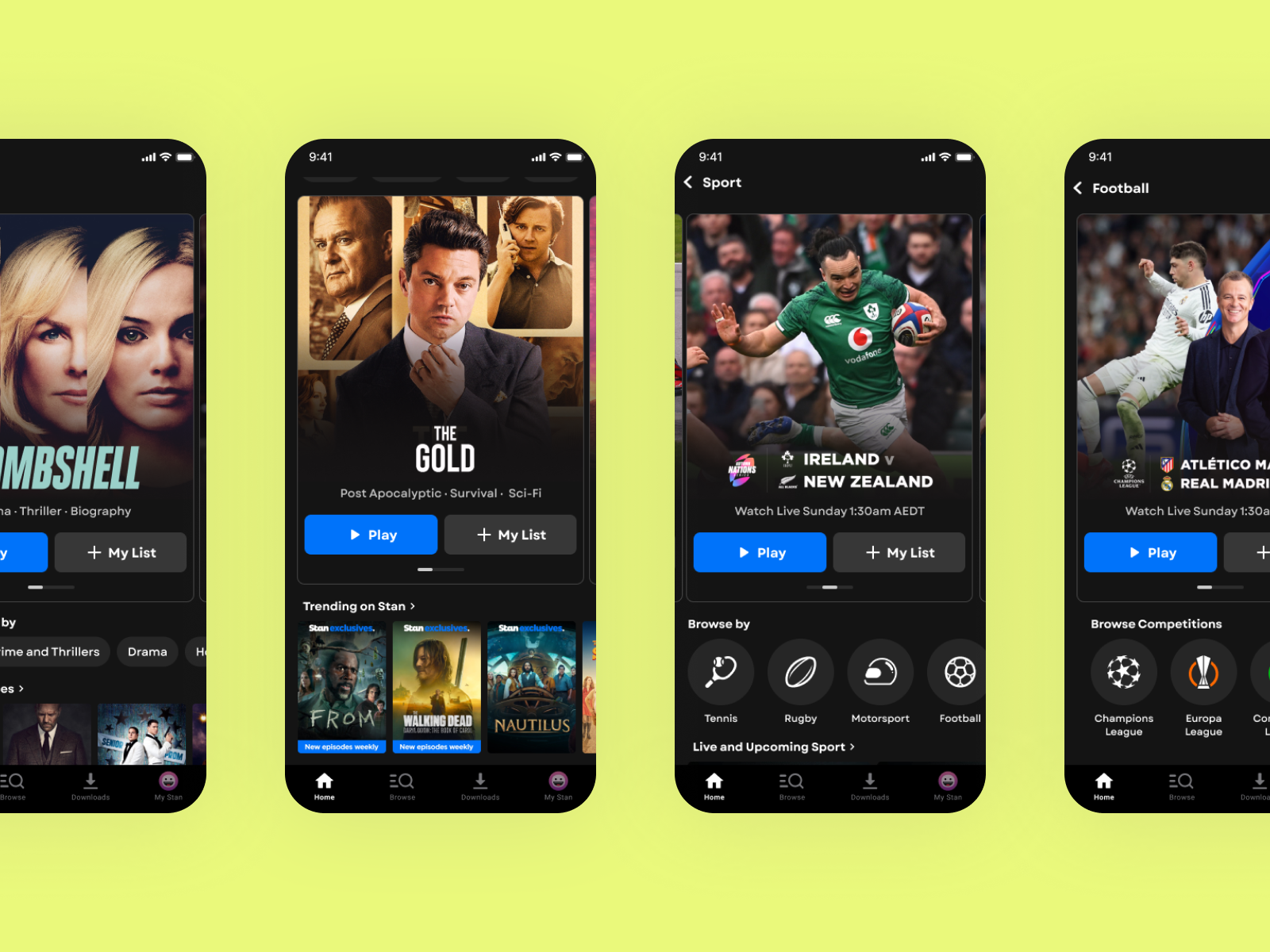
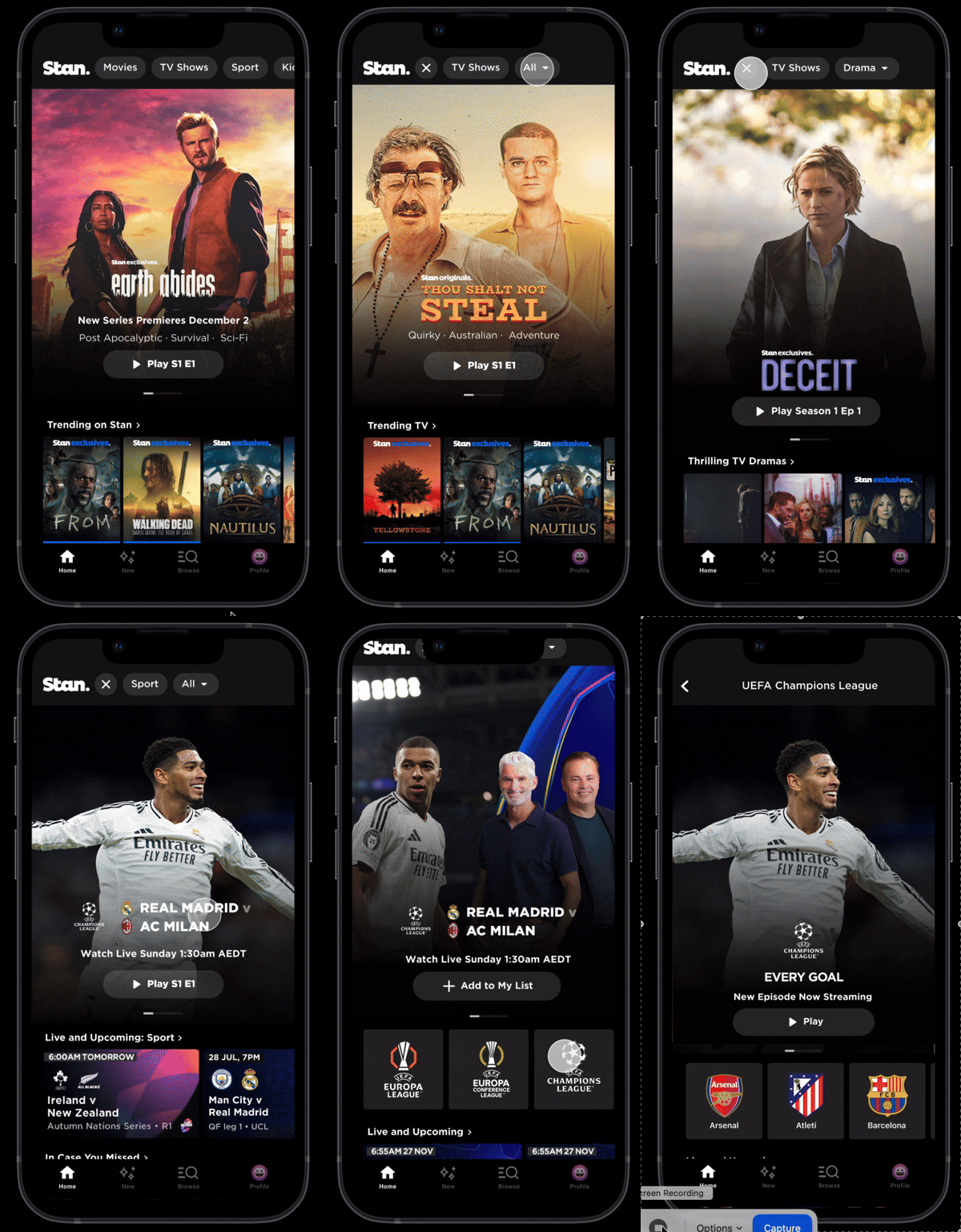
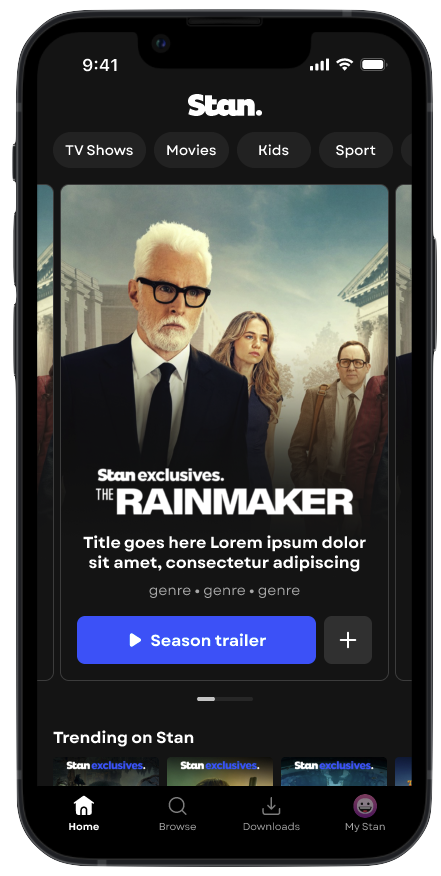
Primary split from secondary with below hero action chips.
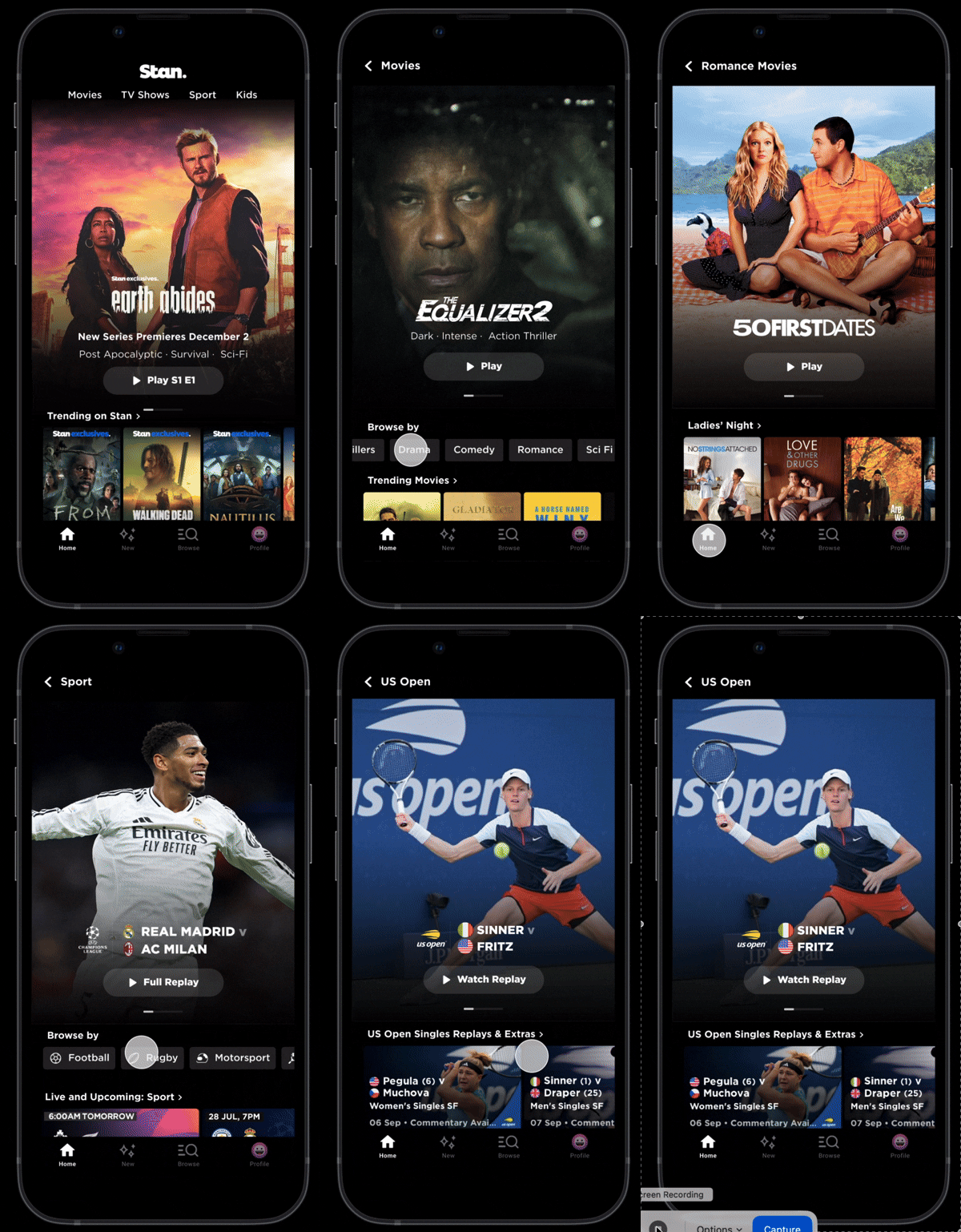
The VERDICT: REFINE & SHIP SPLIT NAV
Test it out: Try to find The Champions League, or Nature Doco-series.
🌠 Hero redesigned as a card for better affordance.
Hero was improved to be more clickable with removal of ‘more’. This is currently being A/B tested in development.
🪩 Bevelled pill styling for primary & secondary navigation
Bevelled edges were added to improve affordance and make navigation items feel more interactive.
⏹️ Square CTAs on hero to differentiate button types
Square CTAs create a clearer visual distinction from the bevelled navigation pills, helping users understand different button outcomes
⚽️ Circular logo buttons retained for sports navigation
Users responded strongly to sport imagery, such as competition logos and team logos. These elements were retained to support recognition and engagement.
OUTCOMES:
CURRENTLY IN DEVELOPMENT
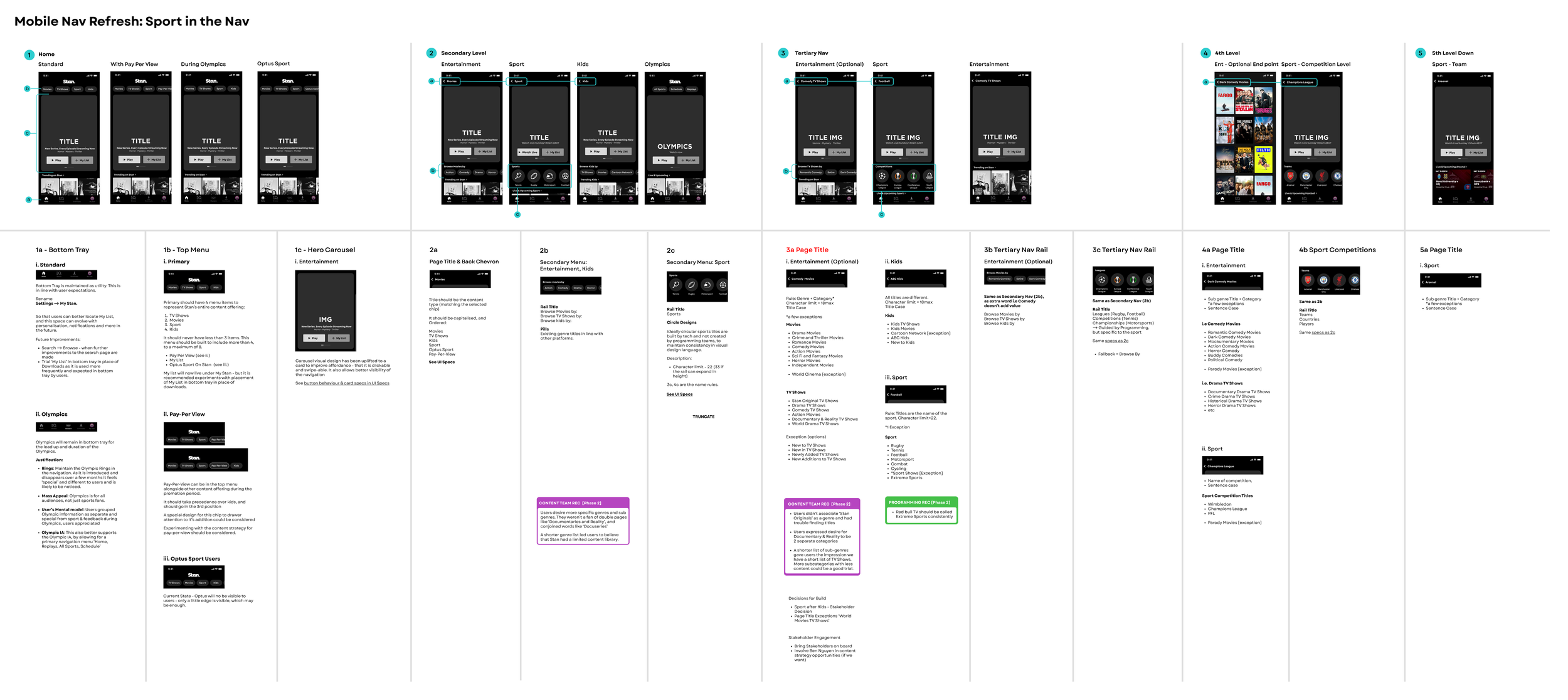
Once a direction was chosen, I defined the tablet UX specs for developers. I collaborated with the Lead UI Designer to refine the UI with development and finalise visual specs.
It’s currently in development, with results pending - but it feels like a much needed refresh that unhides sports, and better showcases and deepens engagement with the catalogue.
SPECS SNAPSHOT
Current State
✨ Future State